Where Python sits
Python’s design philosophy differs from that of C, C++, Perl, Lisp or Pascal, but it borrows freely from earlier languages. An active community process keeps the language evolving.
Python is designed for readability, with a syntax that lets programmers express an idea in fewer lines of code. It is plainly a high-level language, further removed from any concrete machine model than C is. Like Java, it uses garbage collection, so you never have to reserve and release memory by hand just to keep a value in a variable.
Python supports functional programming in the style of R or Haskell as well as object-oriented programming in the style of C# or Java. Unlike those languages, though, Python is dynamically typed: the type belongs to the value, not to the name. The same variable name can hold a string, a boolean a moment later, and then an integer. If you prefer stricter types, type annotations and dedicated linters (mypy, say) are available these days; the interpreter itself does not check them.
There are two classical ways of using Python. The first is the REPL (read-eval-print loop), which works much like a shell on the command line: you can quickly check whether a short snippet of code is syntactically correct and does what you expect. Every Python user should get comfortable with the interpreter, which is to say with the REPL.
The second is to compile a program (.py) to Python bytecode (.pyc) and have Python execute that, which is how more complex tasks get done. One file can import others as modules.
Originally, packages (which is what Python calls libraries) were added to a Python environment with the program pip (Pip Installs Packages). It fetches them from a package index, typically PyPI, the Python Package Index (the analogue of CPAN for Perl, CRAN for R and CTAN for TeX). Only once a package has been downloaded and installed can you import it into your code and use it.
To keep the packages of different projects out of each other’s way, they are installed not system-wide but into a virtual environment (venv), one per project. The tool uv does both jobs in one step: it reads the required packages from the project’s pyproject.toml, creates the environment in the subdirectory .venv and downloads the packages from PyPI. For these notes, uv sync in the project directory is all it takes; after that, uv run python starts the interpreter with every package available, and uv run jupyter lab starts the notebook interface. If you would rather do without uv, python -m venv .venv, activating the environment and pip install -r requirements.txt get you the same result. The Anaconda distribution with its conda package manager, once ubiquitous in data science, works too, but these notes do not use it.
A (Jupyter/IPython) notebook is a document made up of cells. Each cell holds either text, mathematics (LaTeX) or Python code, and the code is executed on the spot, like a REPL in the browser. Under the hood a notebook (.ipynb) is a JSON document.
This book, too, is a collection of notebooks, which Jupyter Book compiles into one coherent set of lecture notes.
Why Python?
The choice is neither an accident nor a matter of taste. For years Python has been among the most widely used programming languages there are: in the big developer surveys it regularly comes in just behind JavaScript and HTML/CSS, and in the TIOBE index it has held first place since October 2021. What matters more than the popularity, though, is what has grown out of it.
An ecosystem known as Scientific Python has grown up around the language, and this book uses almost nothing else:
Numpy – arrays and vector arithmetic, the foundation for everything that follows (Numpy)
SciPy – distributions, statistical tests, optimisation (Continuous distributions, Statistical tests)
Matplotlib – visualisation (Descriptive statistics)
Pandas – tables with named columns (Pandas)
Scikit-Learn – the classical methods of machine learning (Model selection)
Jupyter – the notebooks you are reading right now
Two more packages get a mention and no more: Seaborn, which builds on Matplotlib and takes the standard statistical graphics off your hands (in this book Matplotlib stays the only plotting tool), and PyTorch, the counterpart for neural networks and the subject of the course Introduction to Deep Learning.
These packages coordinate their versions with one another: under NEP 29 and SPEC 0 respectively, each supports a given Python version for about three years. For this book that means the code shown gets by with Python 3.11 and uses no newer language features, while the notes themselves are built and tested with Python 3.13 or 3.14, because the package versions in pyproject.toml demand it. If the right Python is missing, uv sync installs that as well.
Four things to remember
1. The REPL is our friend. Python is an interpreted language, and the interpreter is there to be used interactively: python in a console starts the REPL (read-eval-print loop), where you type an expression and see its result at once. Every Jupyter cell is essentially the same thing. If you do not know what a piece of code does, run it rather than puzzling over it – and help(obj) and dir(obj) will tell you what an object can do.
2. Indentation instead of braces. Python marks its blocks by indentation, not by curly braces. That enforces readable code, and it punishes sloppiness on the spot with an IndentationError.
3. Everything is an object. Numbers too, functions too, modules too. An integer has methods, and a function can be assigned to a variable or passed as an argument – every apply and every key= argument later in the book rests on that.
4. Language models know Python. No programming language has more public code behind it than Python, and language models are correspondingly good at it. That is a real help and a real trap at once: generated code looks plausible even when it is wrong, and running it does not make it right. Check it as you would check somebody else’s code: generated code is somebody else’s code.
print((3).bit_length())      # even a number has methods
print(type(print))           # even a function is an object

square = lambda x: x**2      # functions can be assigned to variables
print(list(map(square, [1, 2, 3])))
2
<class 'builtin_function_or_method'>
[1, 4, 9]
Further reading
There is, of course, no shortage of material on Python by now. Since the language is very much alive, make sure you are working with python3. The latest version at the time of writing is Python 3.14. These notes are built and tested with Python 3.13 or 3.14; the code shown gets by with Python 3.11.
If this chapter leaves you wanting more of the language itself, the notes for the course Einführung in Python (in German, and still under construction) cover what is missing here: packaging and uv, testing, profiling, design by contract, typing, debugging and logging, object-oriented programming, asyncio and user interfaces.
A very useful resource is PEP 8, the Python style guide, which records the usual coding conventions. Since whitespace (indentation above all) carries syntactic weight in Python, the style guide is worth skimming once.
PEP stands for Python Enhancement Proposal, the community process through which the language evolves.
The official language documentation is thorough and very useful. For many a task, the Python module index turns up a module that ships with Python and does the job.
Experienced programmers have the freely available Dive Into Python. The freely available Hitchhiker’s Guide to Python goes into installation, configuration, IDEs, coding styles and common gotchas at length. A friendly, unhurried introduction to Python for scientists is the Whirlwind Tour of Python (even if the CC0-licensed PDF of the O’Reilly book now takes a little finding).
In German, the Python course by Bernd Klein, among others, is good and up to date.
If you want to explore the more bizarre corners of the language (and of its implementation), WTF Python will serve you well.
The essentials
To read the documentation and the code of Python modules quickly, you need to know Python’s syntactic quirks and concepts. Some of the most important are collected here.
Data types
Numbers are represented as integers (int) or as floating point numbers (float), and there are even complex numbers (complex).
Three things here differ from what you know from C or Java. First, Python integers have no fixed width and do not overflow: 2100 is a perfectly ordinary number, and Python grows the internal representation as needed. Second, a float is an IEEE 754 binary64 floating point number (what C calls a double) – with everything that entails, above all that most decimal fractions cannot be represented exactly. Third, Python is strictly but dynamically typed: the type belongs to the value, not to the variable name, and the same name may carry one type after another.
print("23 is", type(23), "and 23.0 is", type(23.0))
print("and 23+2j is", type(23+2j))
print("adding an int and a float gives", type(23+23.0))
print("dividing integers gives a float, so 5/2 =", 5/2)
print("if we do not want that, we can compute 5//2 =", 5//2)

print("no overflow:", 2**100)
print("IEEE 754:", 0.1 + 0.2 == 0.3, "since 0.1+0.2 =", 0.1 + 0.2)
print("modulo takes the sign of the divisor:", 7 % 3, -7 % 3, "which goes with", -7 // 3)
23 is <class 'int'> and 23.0 is <class 'float'>
and 23+2j is <class 'complex'>
adding an int and a float gives <class 'float'>
dividing integers gives a float, so 5/2 = 2.5
if we do not want that, we can compute 5//2 = 2
no overflow: 1267650600228229401496703205376
IEEE 754: False since 0.1+0.2 = 0.30000000000000004
modulo takes the sign of the divisor: 1 2 which goes with -3
The middle line is why floating point numbers are never tested for equality. Instead of a == b you write abs(a - b) < 1e-9 or, in Numpy, np.isclose(a, b) – we will meet this throughout the book. The last line shows a quirk that matters when you compute with indices: in Python, % always takes the sign of the divisor, so -7 % 3 is 2 rather than the -1 of C or Java, and // rounds down to match, rather than towards zero.
Strings are Unicode throughout, with UTF-8 as the default when nothing else is specified. In practice that means source files these days cope with umlauts and accented characters, but that for older files (from the Python 2 era in particular) the encoding may have to be converted or declared. It will not concern us.
Quotation marks may be single or double – 'Data' and "Data" are the same thing – which is handy when the string itself contains quotation marks. Triple quotation marks enclose multi-line strings. What matters more is that strings are immutable: no single character can be overwritten, and every method such as upper() returns a new string rather than changing the old one. In return, slicing works on strings exactly as it does on lists.
s = "Data Science"
print(s[0], "|", s[5:], "|", s[-7:])   # slicing works on strings too

try:
    s[0] = "d"
except TypeError as e:
    print("does not work:", e)

print(s.upper(), "| the original is unchanged:", s)
D | Science | Science
does not work: 'str' object does not support item assignment
DATA SCIENCE | the original is unchanged: Data Science
Truth values and None. The type bool has the two values True and False, and it is a special case of int – True == 1 holds. More interesting is that Python will read any value in a condition as a truth value (truthiness): the number 0, the empty string, the empty list, the empty dictionary and None count as false, everything else as true. That is why you write if items: rather than if len(items) > 0:.
None is the only value of type NoneType and plays the part that null plays in Java: “nothing here”. A function without a return returns None. You test for None with is None, not == None – is compares identity, and there is only ever one None in the whole program. In data, we will meet None again as a sibling of NaN in the chapter Data cleaning.
print(bool(0), bool(""), bool([]), bool([0]), bool(None))   # what counts as false?
print("bool is an int:", True == 1, True + True)

x = None
if x is None:                      # not "x == None"
    print("x holds nothing")

def without_return():
    pass

print("return value without return:", without_return())
False False False True False
bool is an int: True 2
x holds nothing
return value without return: None
Dictionaries are maps with a finite domain; the mathematical statement with , for instance, is written as
f = {"a":1, "b":2}
if f == dict(a=1, b=2):
    print("Syntactic sugar occasionally lets us do without the quotation marks.")
if f["a"] == 1:
    print("All as planned")
print(f, "is a", type(f))
try:
    print(f["c"])
    print("the interpreter never gets to this point")
except KeyError:
    f["c"] = "You have to watch where the square and where the round brackets go"
finally:
    print(f["c"]) # but now it does!

try:
    {[1, 2]: "does not work"}       # a list is mutable
except TypeError as e:
    print("not a valid key:", e)

print({(1, 2): "tuples do work"}[(1, 2)])
Syntactic sugar occasionally lets us do without the quotation marks.
All as planned
{'a': 1, 'b': 2} is a <class 'dict'>
You have to watch where the square and where the round brackets go
not a valid key: cannot use 'list' as a dict key (unhashable type: 'list')
tuples do work
Under the hood a dictionary is a hash map: the key is turned into a number, and that number points to the slot where the value sits. That is why a lookup is fast no matter how large the dictionary is – and why only immutable objects may serve as keys: a key that changed afterwards would be sitting in the wrong slot. So numbers, strings and tuples are fine; lists and dictionaries are not. That is exactly what the last two lines above show.
Tuples are immutable lists of fixed length – pairs or triples, for instance. Careful: addition is not element-wise but list concatenation, and it produces a new tuple (distinct from the old one):
pair = (2,3)
print(pair, "is a", type(pair), "of length", len(pair))
triple = (4,5,6)
print(pair, "+", triple, "=", pair+triple)
print((0,1), "* 3 =", (0,1)*3)
(2, 3) is a <class 'tuple'> of length 2
(2, 3) + (4, 5, 6) = (2, 3, 4, 5, 6)
(0, 1) * 3 = (0, 1, 0, 1, 0, 1)
Sets are unordered lists, and they too are written with curly braces:
a_set = {3,2,1}
print(a_set)
another_set = set((2,3,1))
a_set == another_set
{1, 2, 3}
TrueLists are ordered and can grow. Under the hood a list in CPython is an array of pointers, swapped for a larger one when needed. As a user you notice none of this, and for questions of performance it is usually beside the point. A list comprehension iterates over one list in order to build another.
items = [3,1,4,1,5,9]
if 5 in items:
    print(items, "of type", type(items), "has length", len(items))
print(items + [-1,-1,-1])
items += [0]
print(items)
triple = (1,2,3)
print(list(triple))
# here comes the list comprehension:
shifted = [x+2 for x in items]
print(shifted)
[3, 1, 4, 1, 5, 9] of type <class 'list'> has length 6
[3, 1, 4, 1, 5, 9, -1, -1, -1]
[3, 1, 4, 1, 5, 9, 0]
[1, 2, 3]
[5, 3, 6, 3, 7, 11, 2]
Slicing is the name for selecting part of a list with Python’s colon syntax.
numbers = range(0,10)  # careful, this starts at 0 and 10 is not included.
print(numbers, type(numbers))
numbers = list(numbers)
print(numbers, type(numbers))
print(numbers[1:9]) # here the 9 is not included either.
print(numbers[:5] + numbers[5:])
print("negative indices work too:", numbers[-1:])
print(numbers[:-1] + numbers[-1:])
range(0, 10) <class 'range'>
[0, 1, 2, 3, 4, 5, 6, 7, 8, 9] <class 'list'>
[1, 2, 3, 4, 5, 6, 7, 8]
[0, 1, 2, 3, 4, 5, 6, 7, 8, 9]
negative indices work too: [9]
[0, 1, 2, 3, 4, 5, 6, 7, 8, 9]
Generators are objects that generalise lists in one respect: you can ask them for the next element. But no complete list has to sit in memory (or be computed in advance), which is why generator expressions are so often the right choice for data-processing pipelines in Python.
Every list, every tuple and every range object can be iterated over in just the same way; range is not a generator but a “lazy” sequence, which likewise produces its elements only on demand.
gen = (x + 2 for x in range(0,5))
print(gen, "has type", type(gen))
# and only now is the computation carried out:
for x in gen:
    print(x)
<generator object <genexpr> at 0x7872fe59c520> has type <class 'generator'>
2
3
4
5
6
Equality and identity
Equality of values is tested with the operator ==,
equality of references with the keyword is,
which amounts to the ids being equal.
print(123 == 121 + 2)
a = [1,2,3]
b = a[:] # copy
print(id(a) == id(b))
print(a is b)
print(a is [1,2,3])
print(a == b)
True
False
False
False
True
Membership of a type is tested with isinstance.
print(isinstance("a", str))
print(isinstance(123, bool))
print(type(123))
print(isinstance(123, object))
True
False
<class 'int'>
True
Weaker still than == is comparing the string representations (which is not the same as converting to the type str). Here repr() is meant to return a string that is as unambiguous as possible, str() one that is as readable as possible. Often the repr string can be evaluated as Python code with eval, which yields a copy of the object.
a = dict(key1=1, key2=2)
b = {"key1":'1', "key2":'2'}
print("genuinely different dict objects have different representations:")
print("(", a, "==", b, ") =", a == b)
print("but for dict objects str() is the same as repr()")
print("(", repr(a), "==", str(a), ") = ", repr(a) == str(a))

c = eval(repr(a))
print(c)

print(str(3) == str("3"))
print(repr(3) == repr("3"))
print(repr(3), "!=", repr("3"))
genuinely different dict objects have different representations:
( {'key1': 1, 'key2': 2} == {'key1': '1', 'key2': '2'} ) = False
but for dict objects str() is the same as repr()
( {'key1': 1, 'key2': 2} == {'key1': 1, 'key2': 2} ) = True
{'key1': 1, 'key2': 2}
True
False
3 != '3'
Control flow, f-strings and files
In Python, loops and branches look as they do in the cell below; a condition needs no brackets.
Indentation is four spaces – not a rule of the interpreter but of the style guide PEP 8, and every tool in the ecosystem assumes it. Mixing tabs and spaces is an error in Python 3.
The for loop is always a for-each: it runs over the elements of a sequence, never over a counter. If you need a counter, you make a sequence of numbers with range(n) and iterate over that – which is why range turns up everywhere in Python. A dictionary is iterated over with .items(), which hands you key and value together:
for i in range(3):          # for loop over a sequence
    if i == 0:
        print(i, "is zero")
    elif i % 2 == 1:
        print(i, "is odd")
    else:
        print(i, "is even")

n = 5
while n > 0:                # while loop
    n -= 2
print("n is now", n)

for colour in ["blue", "red"]:          # for-each over a list
    print(colour)

for k, v in {"a": 1, "b": 2}.items():   # over a dict: key and value
    print(k, "->", v)
0 is zero
1 is odd
2 is even
n is now -1
blue
red
a -> 1
b -> 2
f-strings insert values into a string. After a colon you can specify the formatting (width, alignment, decimal places). We use them for output from the next chapter on:
name, share = "female", 0.7420382
print(f"share {name}: {share}")
print(f"share {name:>8s}: {share:6.2%}")   # 8 characters wide, right-aligned; percent with 2 decimal places
print(f"{2**10 = }")                       # handy when debugging
share female: 0.7420382
share female: 74.20%
2**10 = 1024
Files are opened with open, ideally inside a with block, which makes sure the file is closed again when the block ends, even if an error occurs along the way. An open text file can be iterated over line by line:
with open("example.txt", "w", encoding="utf-8") as file:   # "w" = write
    file.write("first line\nsecond line\n")

with open("example.txt", "r", encoding="utf-8") as file:   # "r" = read
    for number, line in enumerate(file, start=1):
        print(f"{number}: {line.strip()}")

import os
os.remove("example.txt")   # tidy up
1: first line
2: second line
Object-oriented programming
class MyClass:
    def my_method(self, methodically):
        print(methodically, self)

    def __init__(self):
        self.attribute = 123

    def __repr__(self):
        return str(self.attribute)

x = MyClass()
x.my_method("test")
print(type(x))
isinstance(x, object)
test 123
<class '__main__.MyClass'>
TruePolymorphism goes so far that you often need not know whether a variable refers to a class or to a method – if it is Callable, you can put () after it and get something back.
Private and public
Unlike Java, say, Python has no way of hiding anything (private, protected and so on) except by convention: an object attribute or a method marked with a single leading underscore is to be treated as “private”.
Dictionaries and tuples are everywhere
Tuples can be unpacked:
t = (1, 2, 3)
a, b, c = t
print(t, a, b, c)
(1, 2, 3) 1 2 3
Functions
A function is defined with def, and return supplies its return value. The string directly under the header line is the docstring, the built-in documentation that help displays. Parameters can have default values:
def square(x, plus=0):
    """Square x and optionally add something to it."""
    return x**2 + plus

print(square(3))            # 9
print(square(3, plus=1))    # 10
help(square)
9
10
Help on function square in module __main__:
square(x, plus=0)
Square x and optionally add something to it.
One detail that surprises people arriving from other languages: in Python, if, for and while do not open a scope of their own. A variable created inside such a block lives on after it. Only functions, classes and modules have a scope of their own – what is assigned inside a function is invisible outside it.
Conversely, a function may read names from outside without claiming them. The moment it assigns to such a name, that name counts as local throughout the function; if you really mean the outer variable, you have to say so with global (or, in nested functions, nonlocal). Both are rarely needed and better avoided: a function that modifies variables visible from outside is hard to test.
if True:
    inside = 1
print("after the if block there is", inside, "- blocks have no scope of their own")

def f():
    local = 2

f()
try:
    print(local)
except NameError as e:
    print("after the function, on the other hand, there is not:", e)
after the if block there is 1 - blocks have no scope of their own
after the function, on the other hand, there is not: name 'local' is not defined
A function definition can allow arbitrarily many positional arguments:
def method(*args):
    return args

method()
print(method(1,2,3,"four"))

def new_method(must_be_there, *args):
    return args

print(new_method(1,2,3,"four"))
(1, 2, 3, 'four')
(2, 3, 'four')
try:
    new_method()
except TypeError as e:
    print(e)
new_method() missing 1 required positional argument: 'must_be_there'
Keyword arguments can be handled in the same way:
def method(**kwargs):
    return kwargs

method()
print(method(key="value"))

try:
    method("123")
except TypeError as e:
    print(e)
{'key': 'value'}
method() takes 0 positional arguments but 1 was given
Altogether, then, you can allow a sequence of mandatory positional arguments, a sequence of named keyword arguments, and any number of further ones:
def method(posarg, posarg2, *args, kwarg=None, kwarg2=True, **kwargs):
    return args, kwargs

#method() # <--- does not work

method(1, 2, 3, 4, 5, kwarg2=False, kwarg3="test")
((3, 4, 5), {'kwarg3': 'test'})To pass a whole dict directly as keyword arguments, unpack it – and a tuple in just the same way:
args = (1, 2, 3, 4, 5)
kwargs = {"kwarg2": False, "kwarg3": "test"}
print(method(*args, **kwargs))

print(args)
print(*args)
((3, 4, 5), {'kwarg3': 'test'})
(1, 2, 3, 4, 5)
1 2 3 4 5
Object attributes, too, live in a dict:
class NewClass:
    def __init__(self):
        self.x = 1
        self.y = 2

new_object = NewClass()
print(new_object.__dict__)
new_object.__dict__["z"] = 3
new_object.z == 3
{'x': 1, 'y': 2}
True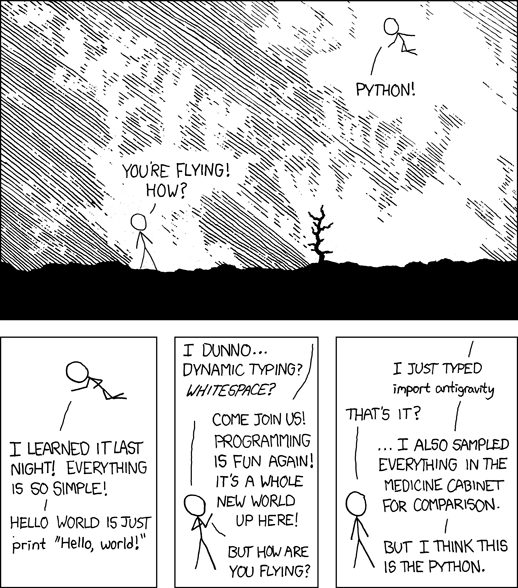
Randall Munroe, xkcd 353 “Python” (CC BY-NC 2.5)